说明
LinearLayout 是一个视图组件,它可以将所有子视图按一个方向进行 垂直/水平 对齐
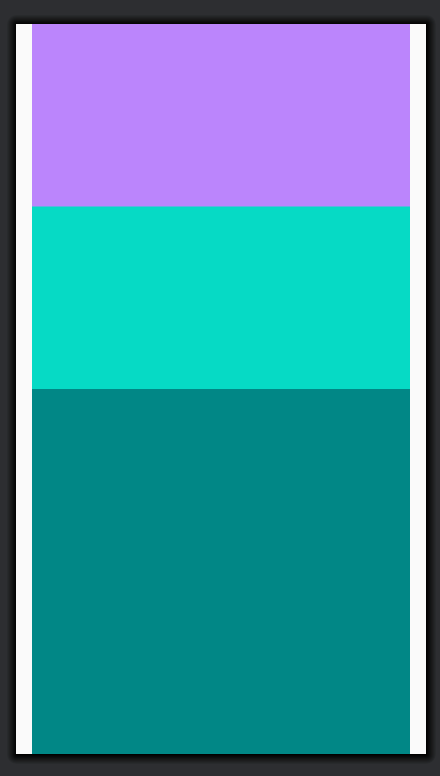
垂直方向(Vertical)
垂直方向会按每行一个元素排列,而不管设置的宽度
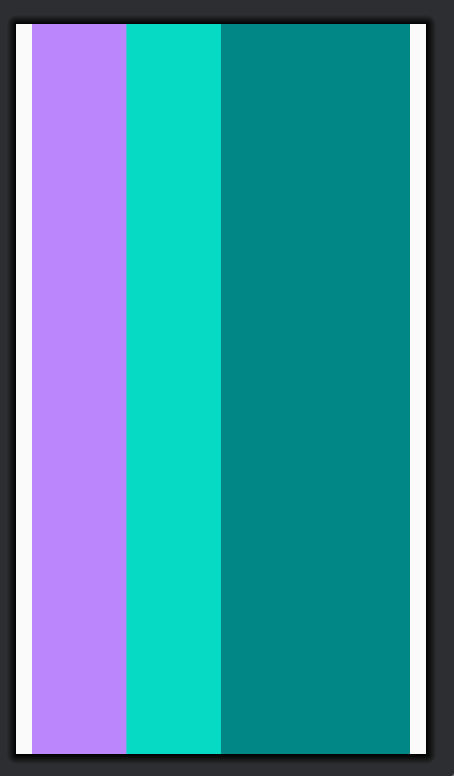
水平方向(Horizontal)
水平方向只有一行高,它的高度为最高的子元素+Padding值
常用属性配置
android:orientation
布局方向,可配置值:
- horizontal 水平
- vertical 垂直
android:layout_width
元素宽度
android:layout_height
元素高度,可配置具体的数值,还支持常用的值如下:
- match_parent 与父元素同尺寸
- wrap_content 只包含内容大小(+padding)
android:layout_weight
布局权重,用于设置元素占据的空间值,值越大占的空间越大,默认值为0(匹配内容)
android:gravity
指定视图内容在其自身边界内的对齐方式
实战案例
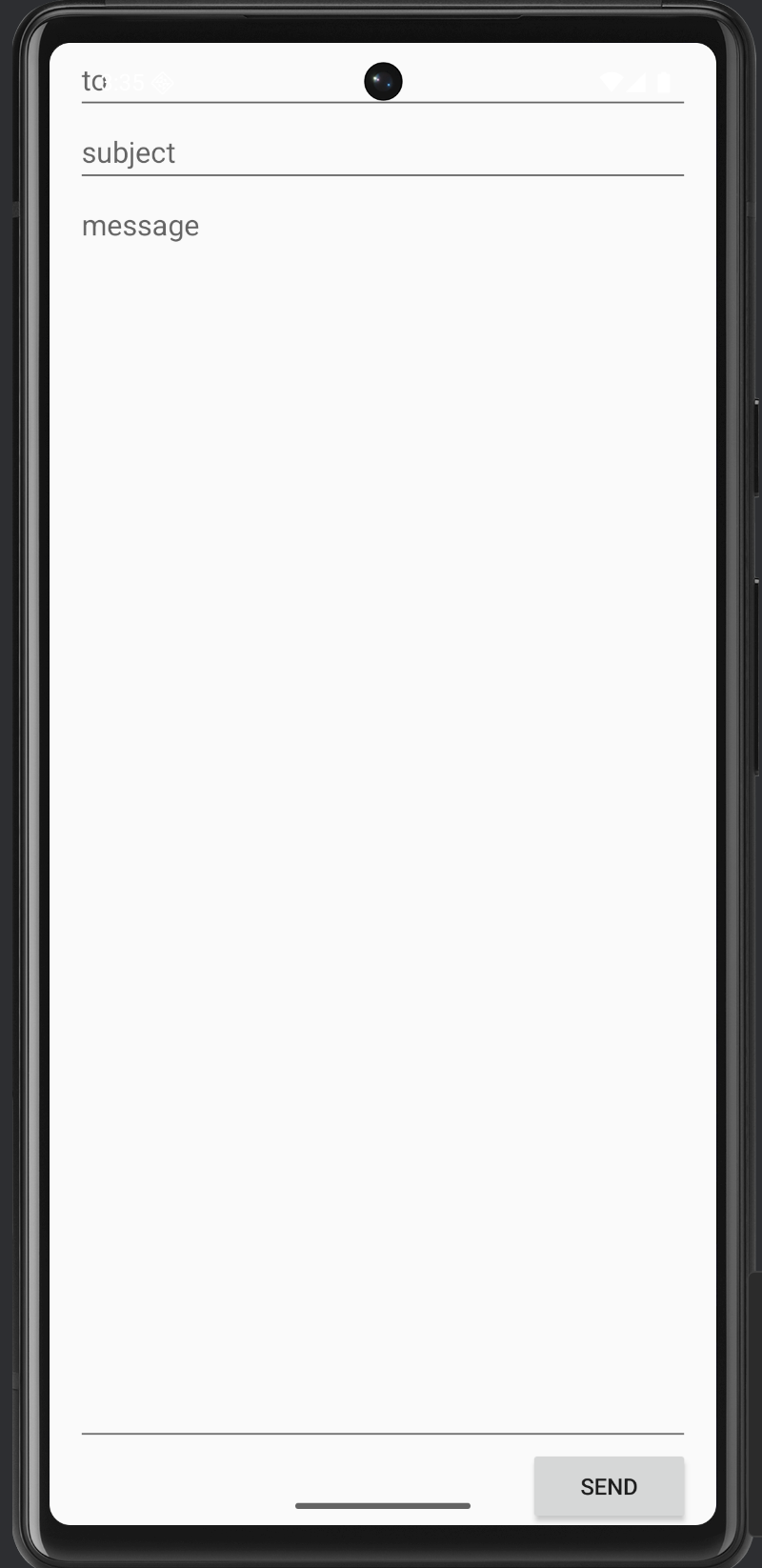
实现一个简单的邮件发送功能
<?xml version="1.0" encoding="utf-8"?>
<LinearLayout xmlns:android="http://schemas.android.com/apk/res/android"
        android:layout_width="match_parent"
        android:layout_height="match_parent"
        android:paddingLeft="16dp"
        android:paddingRight="16dp"
        android:orientation="vertical" >
    <EditText
            android:layout_width="match_parent"
            android:layout_height="wrap_content"
            android:autofillHints=""
            android:hint="@string/to"
            android:inputType="text" />
    <EditText
            android:layout_width="match_parent"
            android:layout_height="wrap_content"
            android:autofillHints=""
            android:hint="@string/subject"
            android:inputType="text" />
    <EditText
            android:layout_width="match_parent"
            android:layout_height="0dp"
            android:layout_weight="1"
            android:autofillHints=""
            android:gravity="top"
            android:hint="@string/message"
            android:inputType="text" />
    <Button
            android:layout_width="100dp"
            android:layout_height="wrap_content"
            android:layout_gravity="end"
            android:text="@string/send" />
</LinearLayout>
效果图
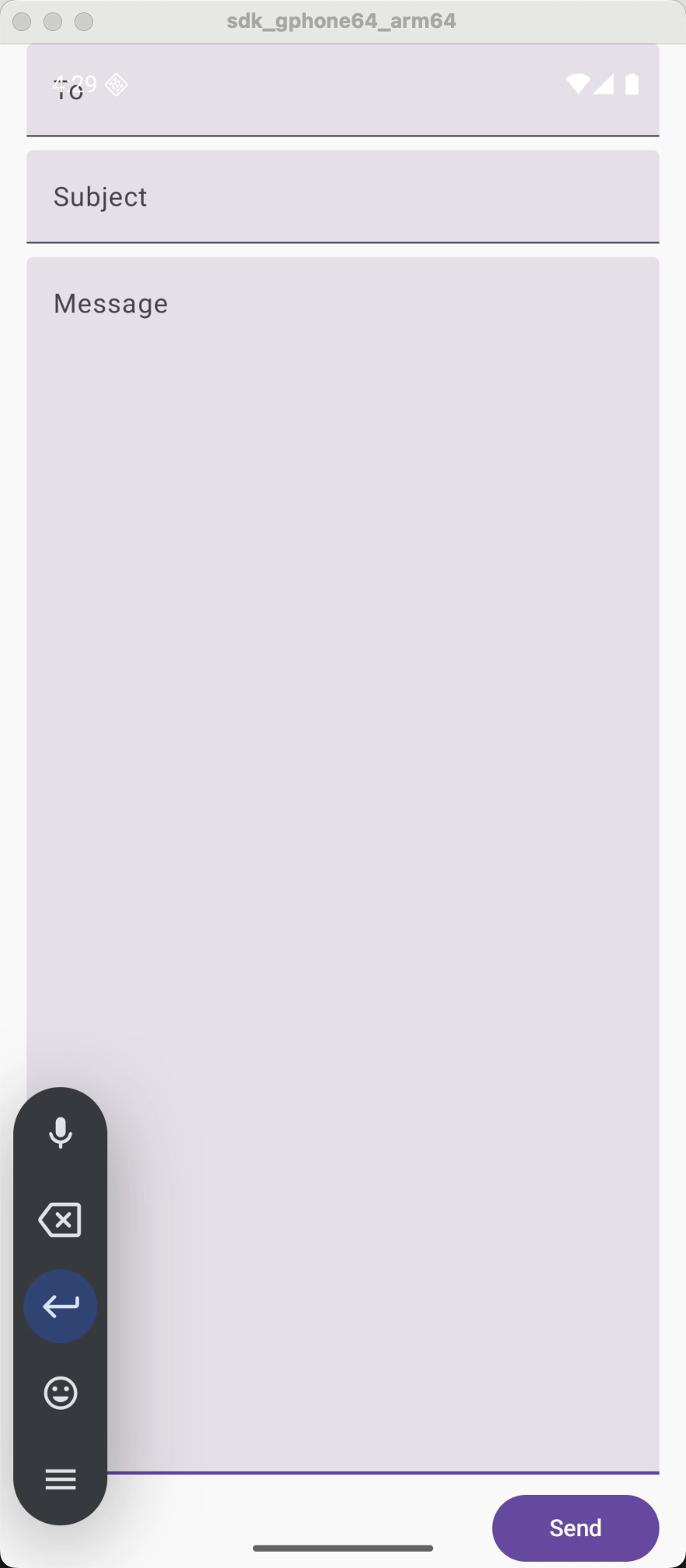
Jetpack Compose组件实现同样效果
Jetpack Compose 是google新推出并推荐使用的基于kotlin声明式UI组件库,可以用更少的代码来加速开发
@Composable
fun LineLayoutSample(
    toHint: String,
    subjectHint: String,
    messageHint: String,
    sendText: String,
    modifier: Modifier = Modifier
) {
    Column(
        modifier = Modifier
            .fillMaxSize()
            .padding(start = 16.dp, end = 16.dp)
    ) {
        TextField(
            value = "",
            onValueChange = {  },
            modifier = Modifier.fillMaxWidth(),
            placeholder = { Text(toHint) }
        )
        Spacer(modifier = Modifier.height(8.dp))
        TextField(
            value = "",
            onValueChange = {  },
            modifier = Modifier.fillMaxWidth(),
            placeholder = { Text(subjectHint) }
        )
        Spacer(modifier = Modifier.height(8.dp))
        TextField(
            value = "",
            onValueChange = {  },
            modifier = Modifier
                .fillMaxWidth()
                .weight(1f),
            placeholder = { Text(messageHint) },
            singleLine = false,
            maxLines = Int.MAX_VALUE
        )
        Spacer(modifier = Modifier.height(8.dp))
        Row(
            modifier = Modifier.fillMaxWidth(),
            horizontalArrangement = Arrangement.End
        ) {
            Button(
                onClick = { /* handle send */ },
                modifier = Modifier.width(100.dp)
            ) {
                Text(sendText)
            }
        }
    }
}
效果图